Date: 04.03.2026
NVIDIA CMP 170HX GPU
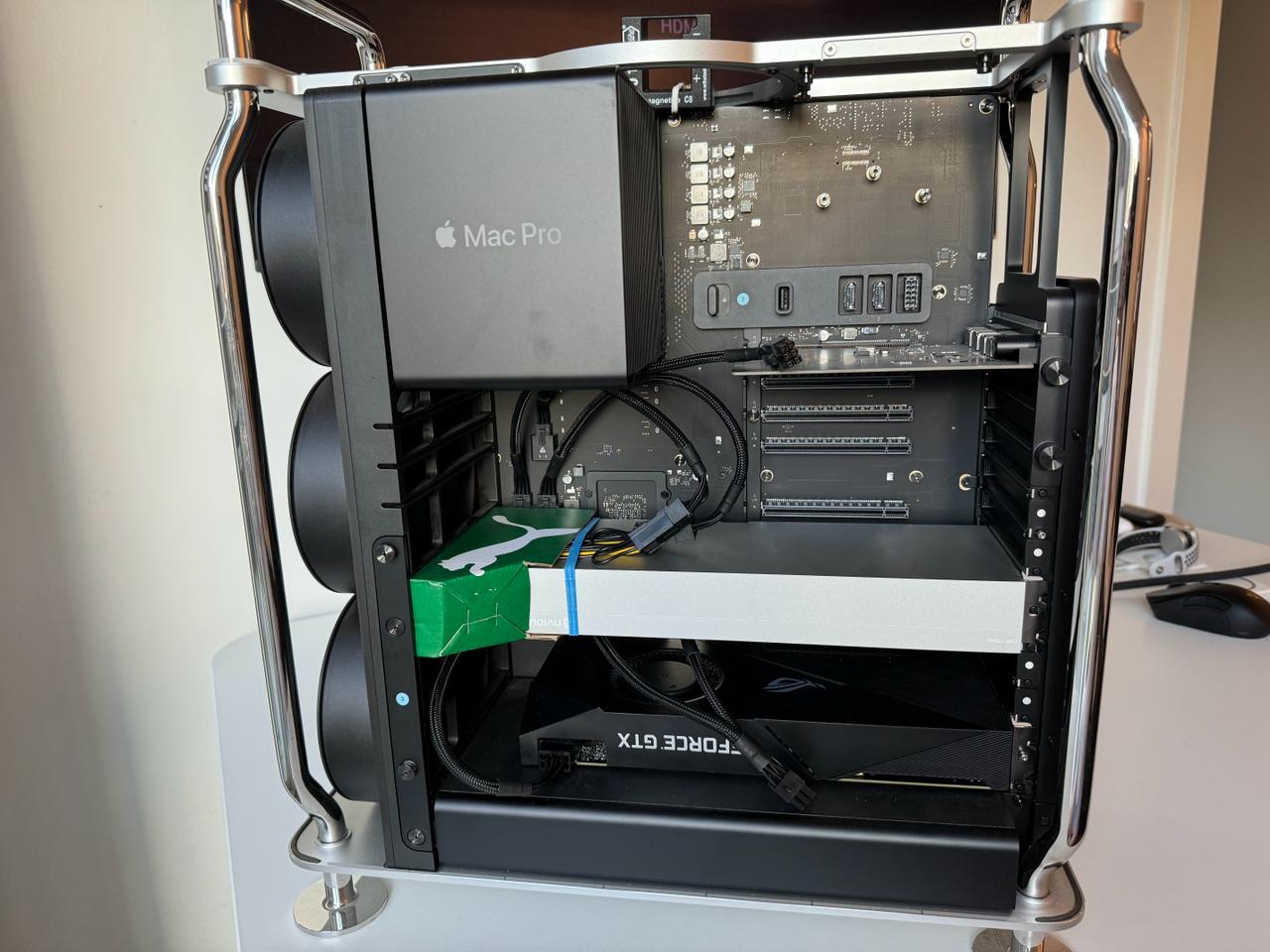
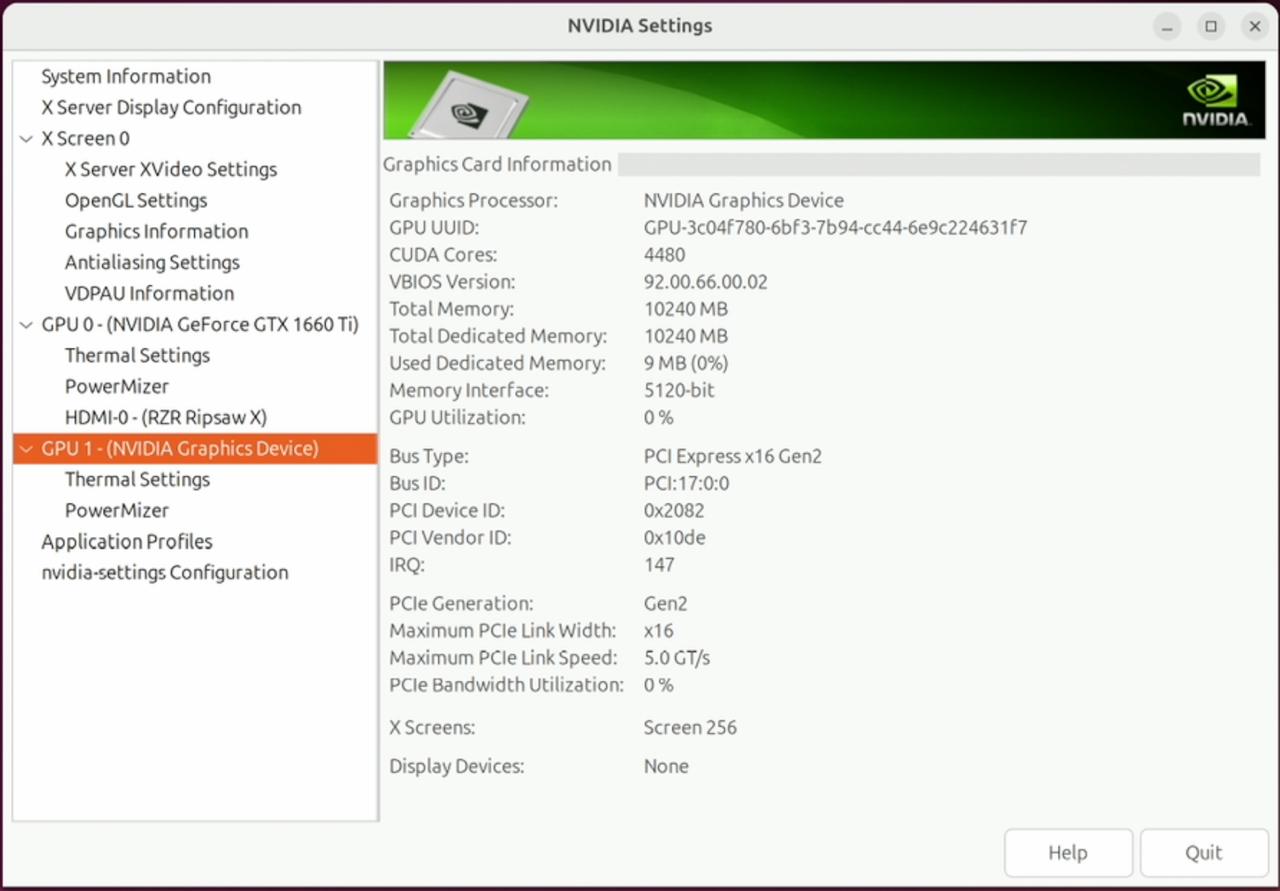
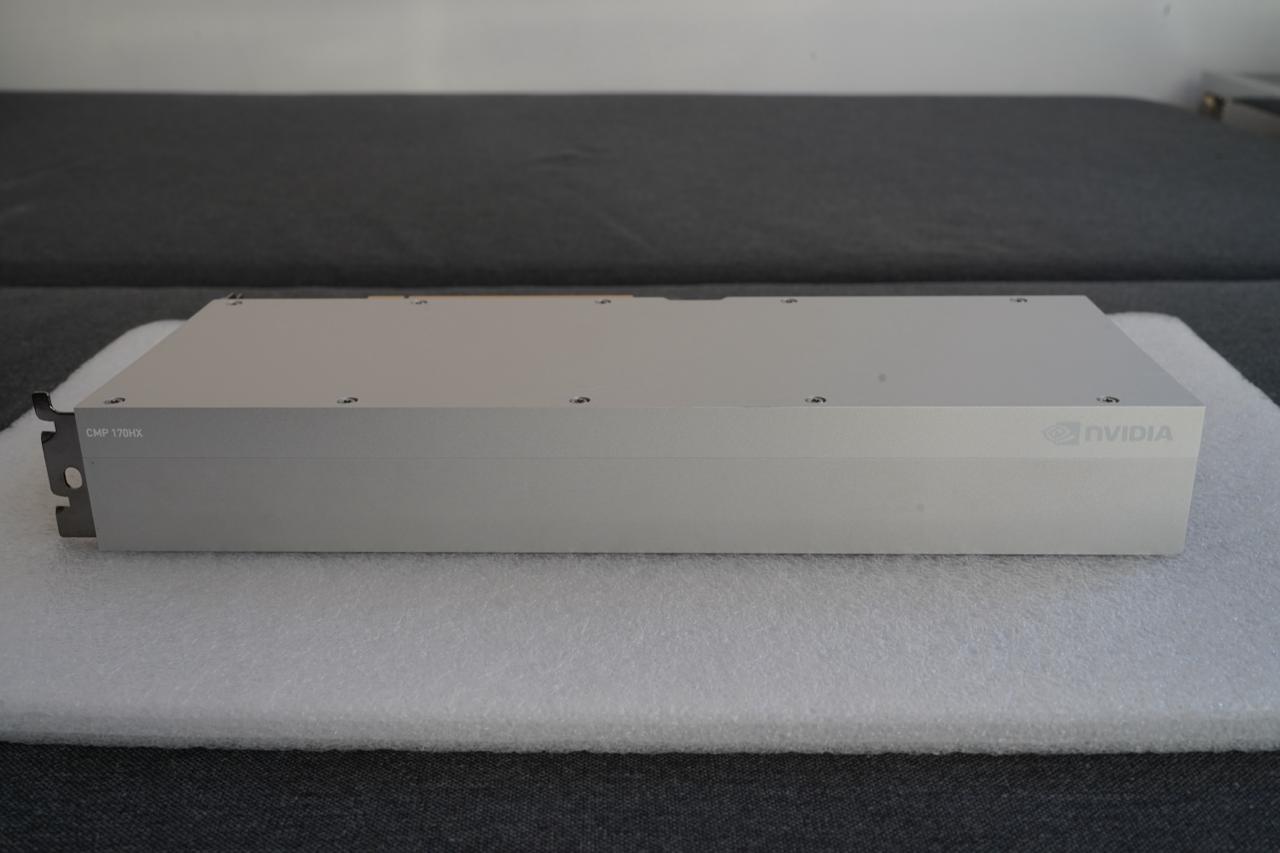
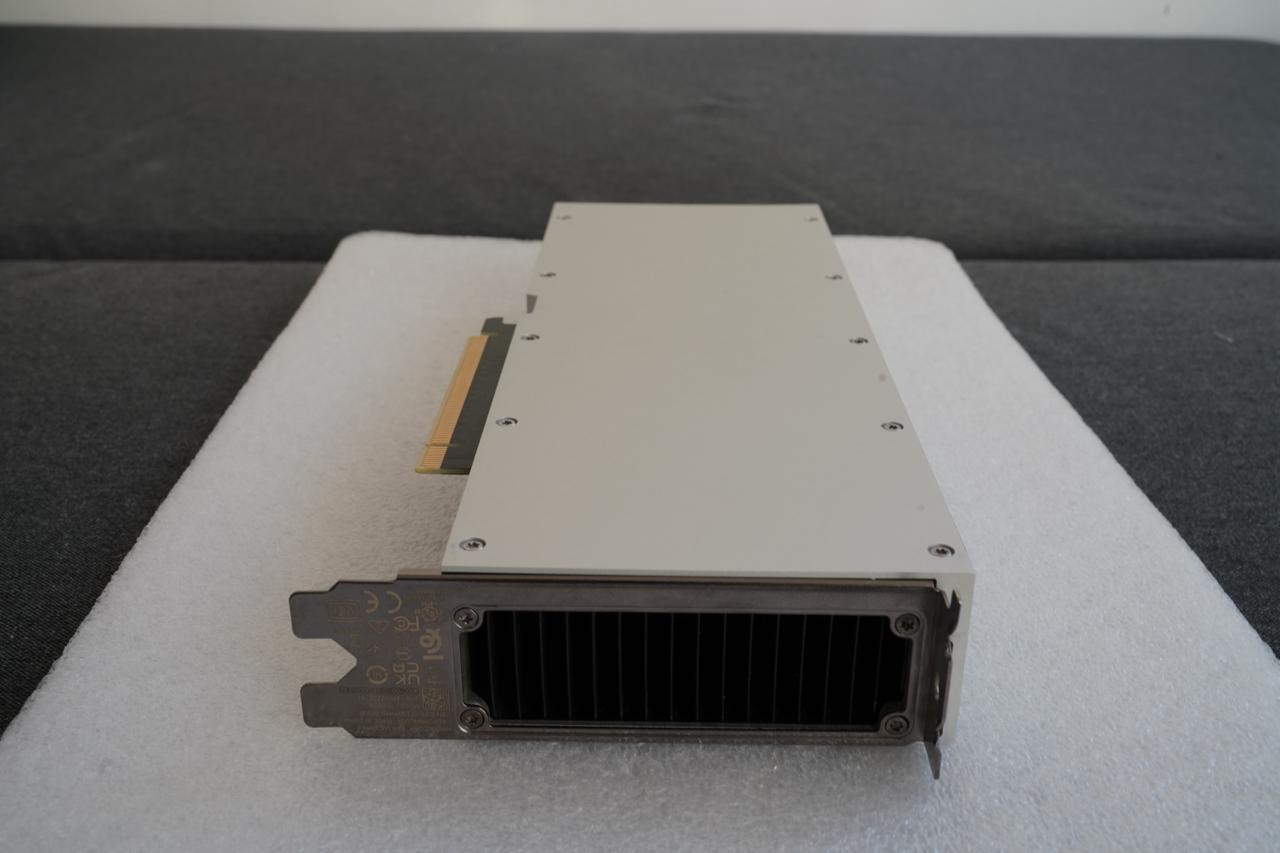
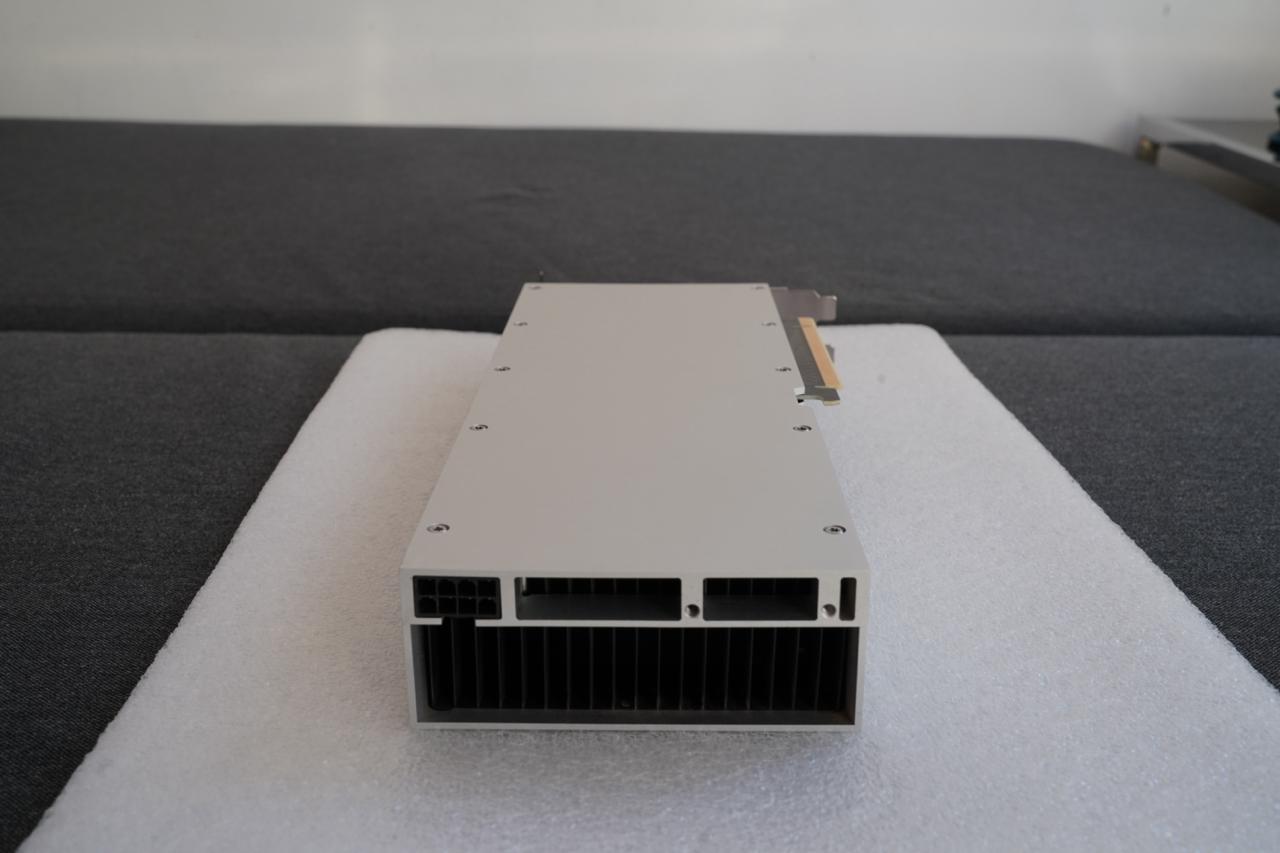
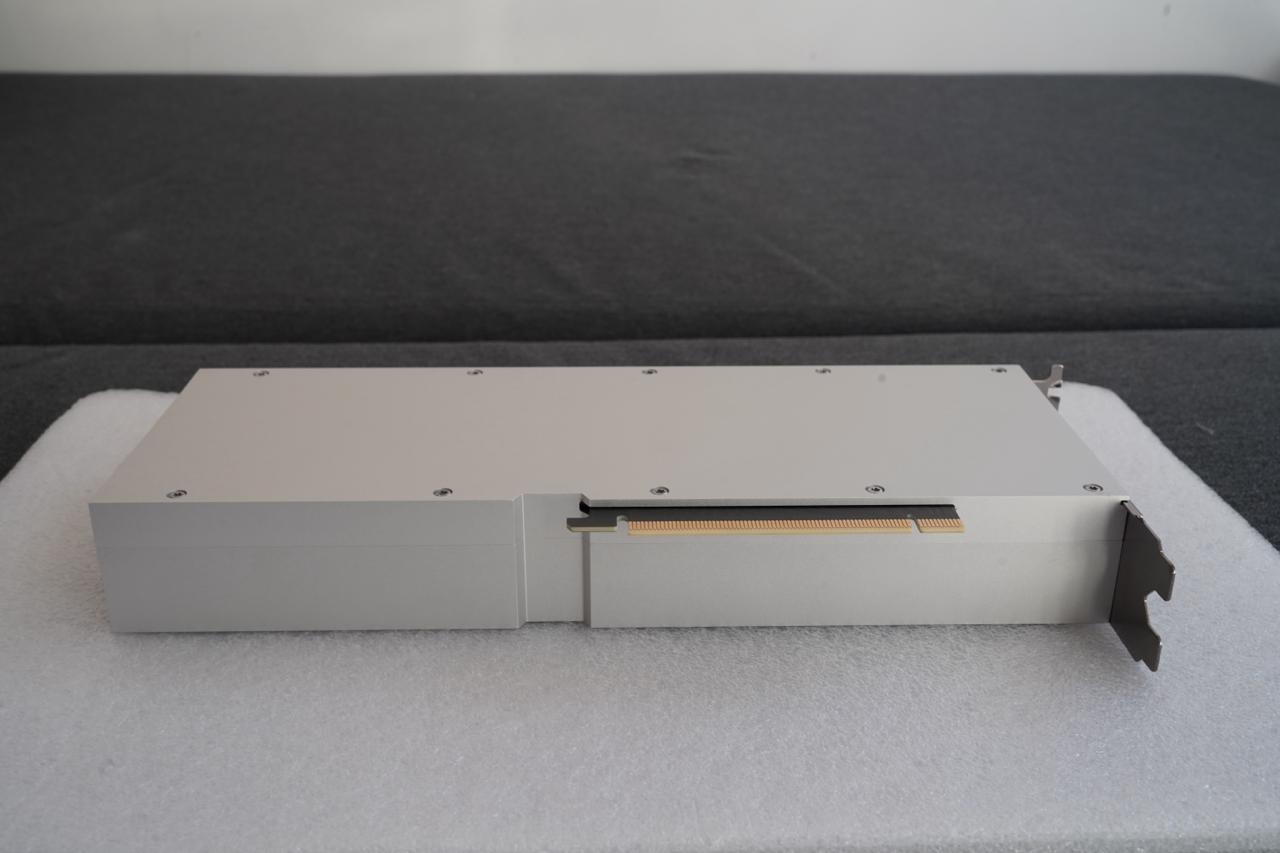
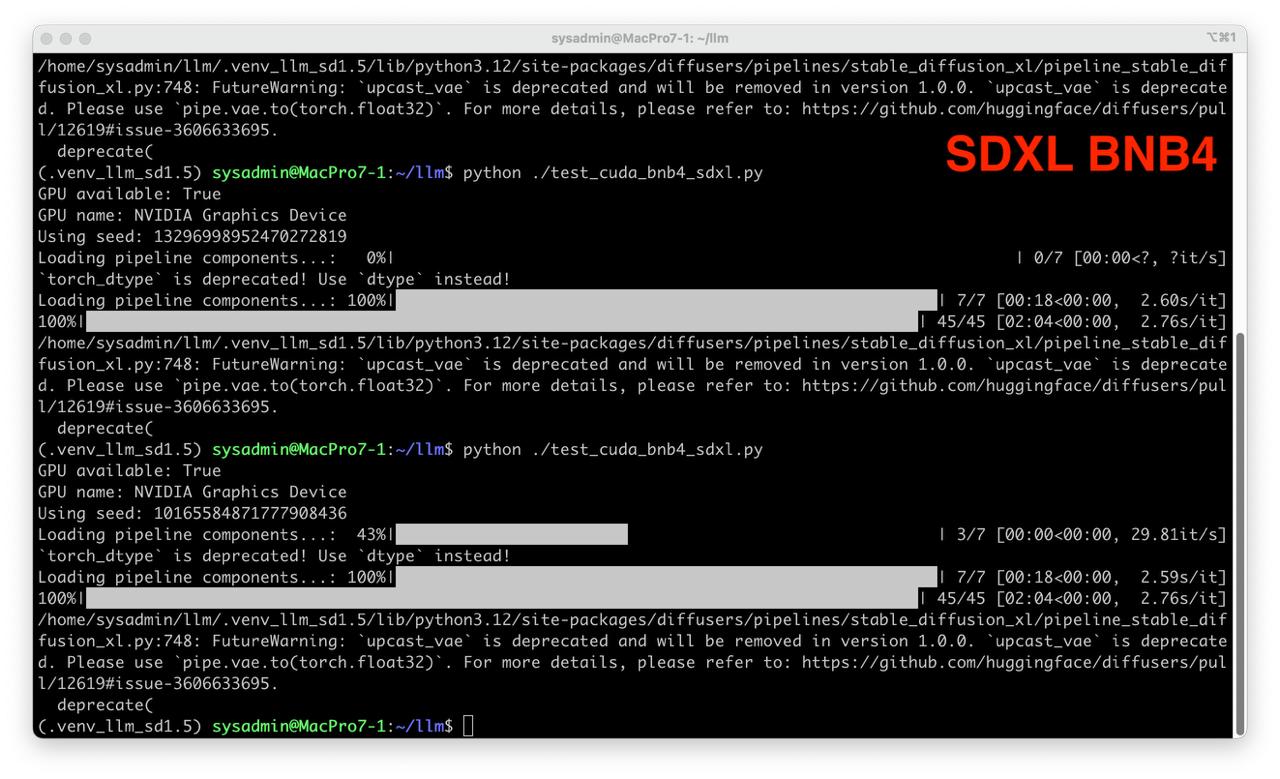
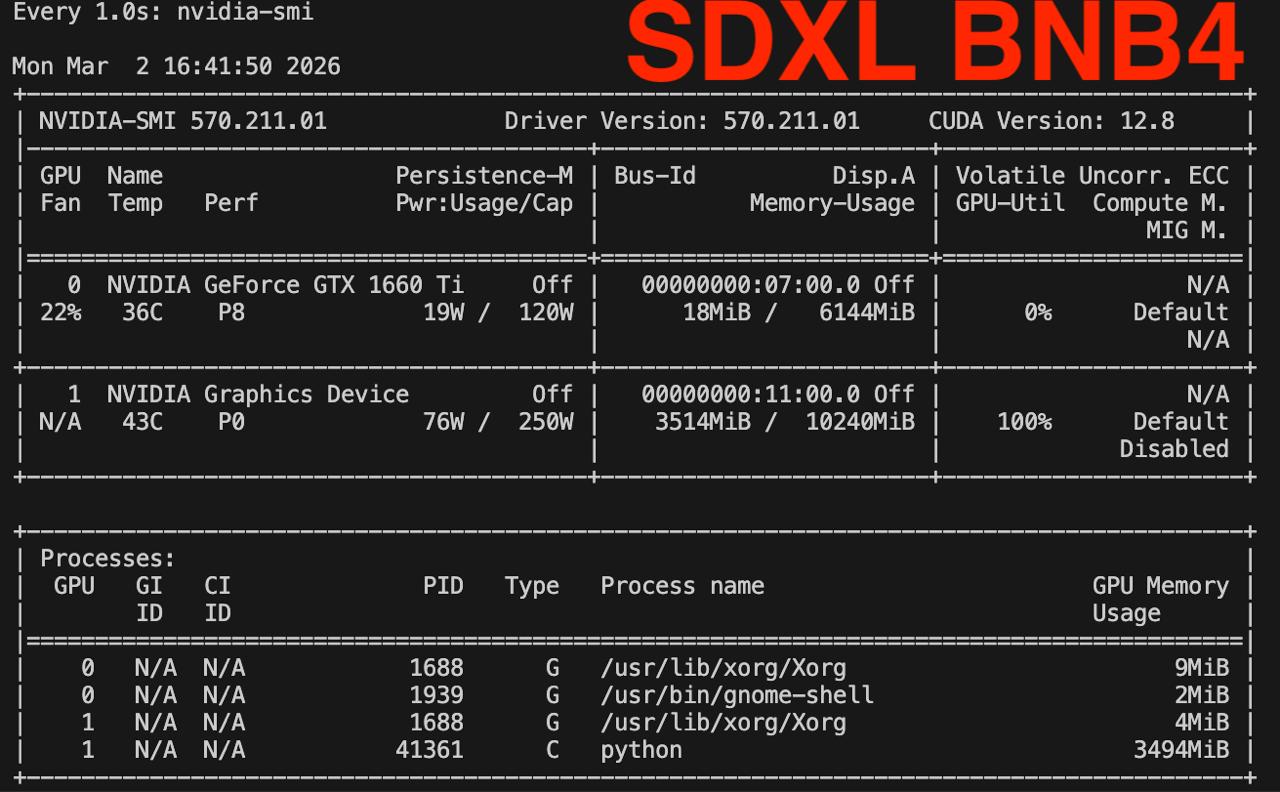

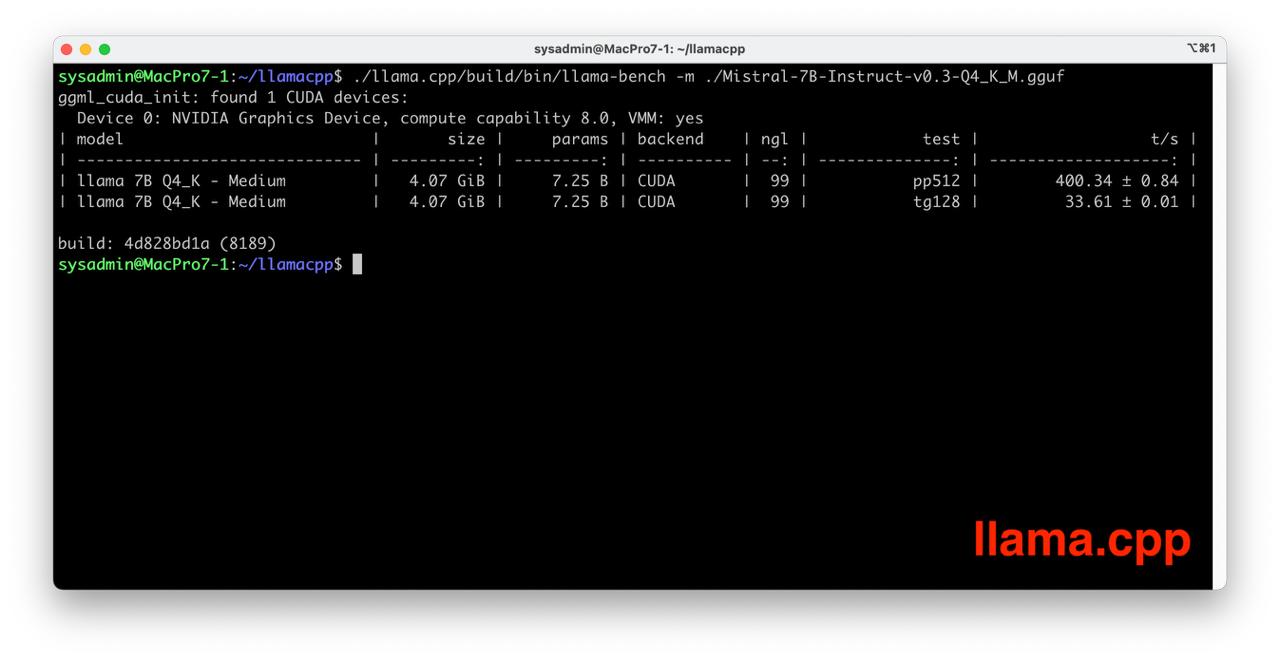
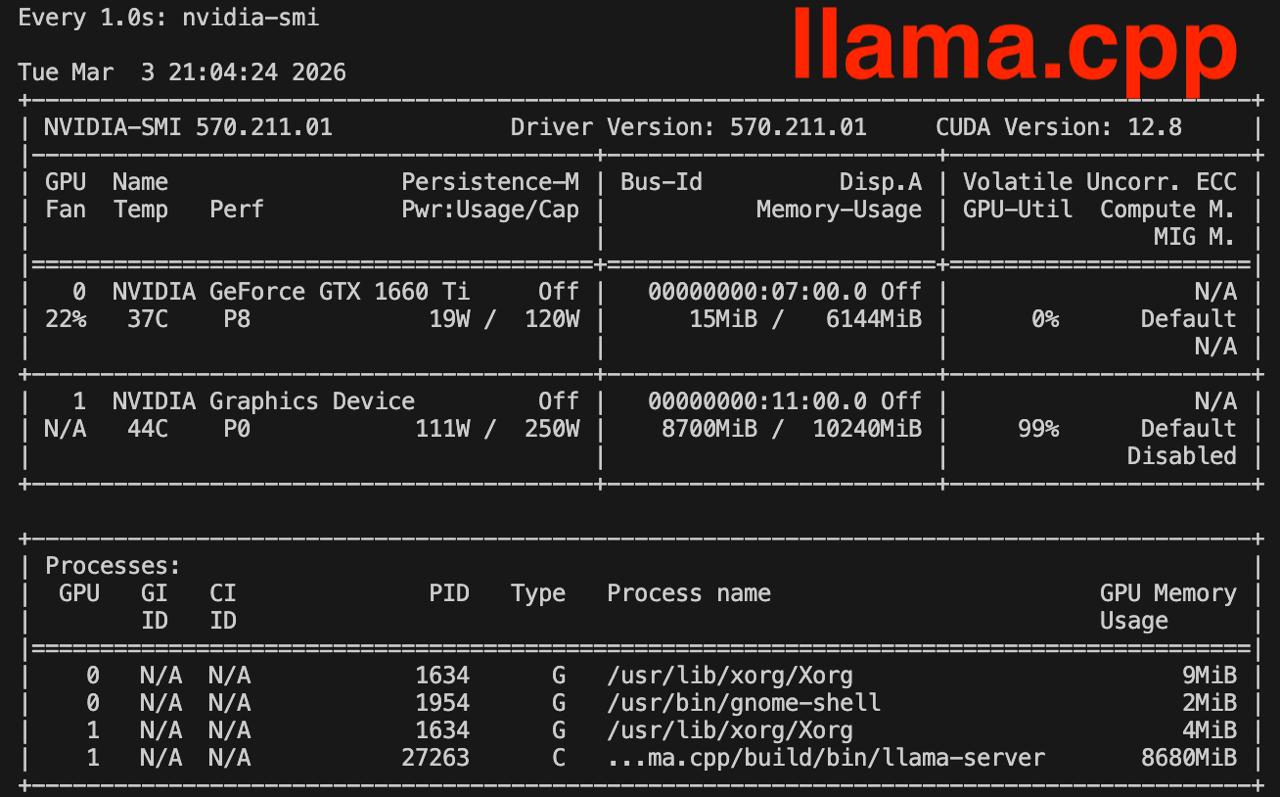
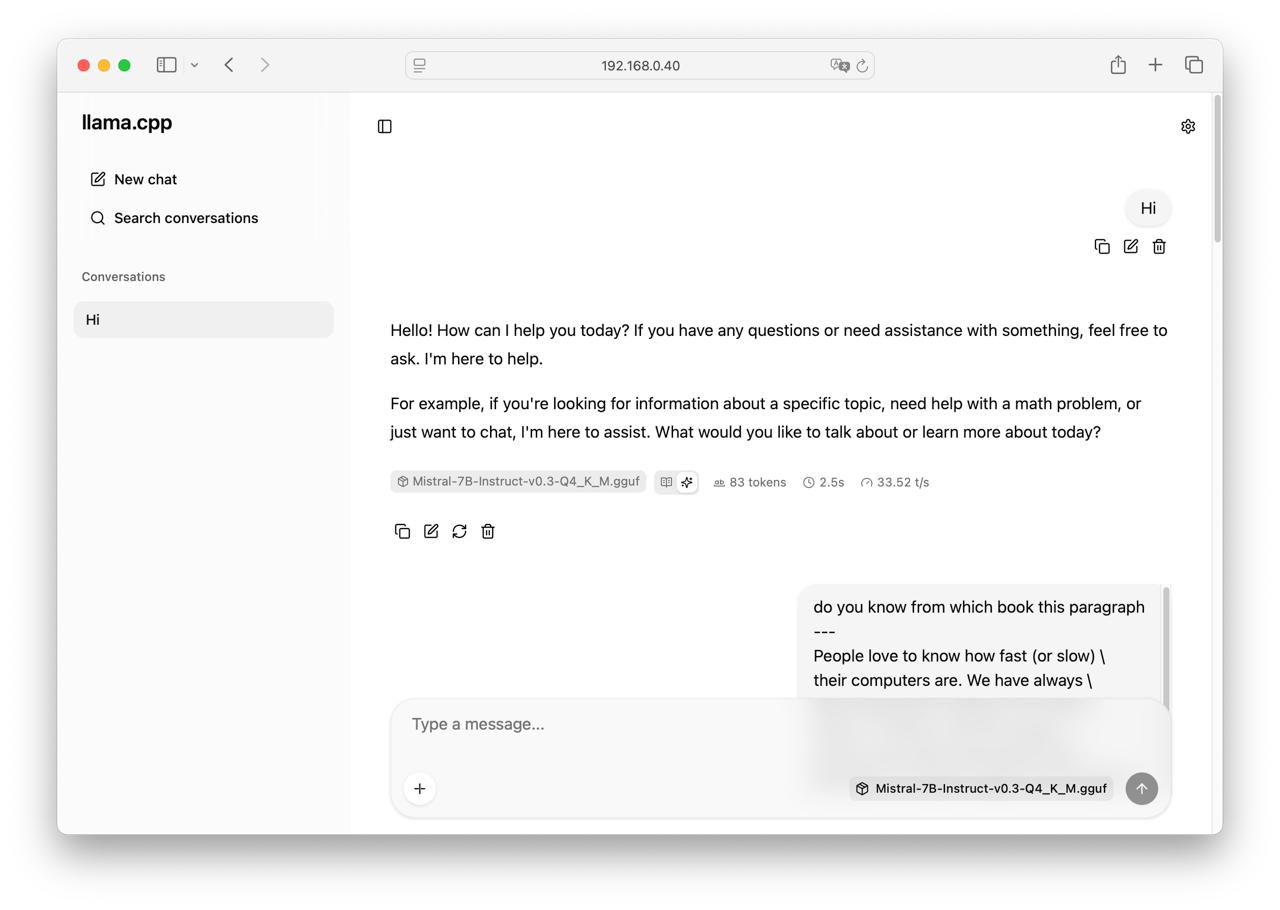
Table of Contents
Overview
Limitations
- 10 GB memory
- Linux only; there is no driver for Windows
Test environment
- Mac Pro 7.1 Intel Xeon W-3235 64Gb RAM 1Tb SSD
- Ubuntu 24.04 LTS HWE Kernel
- Install python 3.12
My test environment: MAC Pro 7.1 + NVIDIA CMP 170HX
Instructions
Ubuntu preparation
sudo apt-get install --install-recommends linux-generic-hwe-24.04
hwe-support-status --verbose
sudo apt dist-upgrade
sudo reboot
Driver setup
- Install drivers nvidia-driver-570
sudo apt install nvidia-driver-570 clinfo
sudo reboot
- Check installation
nvidia-smi
clinfo
Install dev tools
- General packages
sudo apt install -y python3-venv python3-dev git git-lfs
- CUDA SDK
wget https://developer.download.nvidia.com/compute/cuda/12.8.0/local_installers/cuda_12.8.0_570.86.10_linux.run
sudo sh cuda_12.8.0_570.86.10_linux.run --toolkit --samples

echo 'export PATH=/usr/local/cuda-12.8/bin:$PATH' | sudo tee /etc/profile.d/cuda.sh
echo 'export LD_LIBRARY_PATH=/usr/local/cuda-12.8/lib64:$LD_LIBRARY_PATH' | sudo tee -a /etc/profile.d/cuda.sh
echo 'export CUDA_HOME=/usr/local/cuda-12.8' | sudo tee -a /etc/profile.d/cuda.sh
source /etc/profile.d/cuda.sh
Check CUDA in Python
- Preparing PyTorch
mkdir -p ~/llm && cd ~/llm
python3 -m venv .venv_llm
source ./.venv_llm/bin/activate
python -m pip install --upgrade pip
pip install "torch==2.7.1" "torchvision==0.22.1" "torchaudio==2.7.1" --index-url https://download.pytorch.org/whl/cu128
pip install "bitsandbytes==0.46.1"
python3 -c "import torch; print(torch.__version__); print(torch.cuda.is_available());print(torch.cuda.get_device_name(0));"
- Expected response
2.7.0+cu128
True
NVIDIA Graphics Device
- Check BitsAndBytes installation
python -m bitsandbytes
Dry-run!
Stable Diffusion XL
- Prepare Python environment for CUDA:
mkdir -p ~/llm && cd ~/llm
python3 -m venv .venv_llm_sd1.5
source ./.venv_llm_sd1.5/bin/activate
python -m pip install --upgrade pip
pip install "torch==2.7.1" "torchvision==0.22.1" "torchaudio==2.7.1" --index-url https://download.pytorch.org/whl/cu128
pip install "transformers==4.56.2" accelerate diffusers safetensors
pip install "bitsandbytes==0.46.1"
- Get the StableDiffusion XL
git lfs install
git clone https://huggingface.co/stabilityai/stable-diffusion-xl-base-1.0 sdxl
- Create script test_cuda_bnb4_sdxl.py:
from diffusers import StableDiffusionXLPipeline
from diffusers import PipelineQuantizationConfig
from diffusers import BitsAndBytesConfig as DiffusersBitsAndBytesConfig
from transformers import BitsAndBytesConfig as TransformersBitsAndBytesConfig
import torch

print("GPU available:", torch.cuda.is_available())
print("GPU name:", torch.cuda.get_device_name(0))

model_path = "/home/sysadmin/llm/models/sdxl"
device = "cuda:0"

seed = torch.seed()
print(f"Using seed: {seed}")

tf_bnb4 = TransformersBitsAndBytesConfig(
    load_in_4bit=True,
    bnb_4bit_quant_type="nf4",
    bnb_4bit_compute_dtype=torch.bfloat16,
    bnb_4bit_use_double_quant=True,
)

df_bnb4 = DiffusersBitsAndBytesConfig(
    load_in_4bit=True,
    bnb_4bit_quant_type="nf4",
    bnb_4bit_compute_dtype=torch.bfloat16,
    bnb_4bit_use_double_quant=True,
)

quant_config = PipelineQuantizationConfig(
    quant_mapping={
        "unet": df_bnb4,
        "text_encoder": tf_bnb4,
        "text_encoder_2": tf_bnb4,
    }
)

pipe = StableDiffusionXLPipeline.from_pretrained(
    model_path,
    quantization_config=quant_config,
    torch_dtype=torch.float16,
    feature_extractor=None,
    local_files_only=True
).to(device)

generator = torch.Generator(device).manual_seed(seed)

prompt = "adorable fluffy cat sitting on a wooden \
chair, 3D render, Pixar style, Disney animation, \
volumetric lighting, big eyes, detailed fur, \
cozy room background, 8k, unreal engine 5"
negative_prompt = "ugly, deformed, bad anatomy, \
extra limbs, extra tail, missing paws, blurry, \
low quality, watermark, text, bad proportions, \
realistic, photo"

out = pipe(
    prompt=prompt,
    negative_prompt=negative_prompt,
    height=1024, width=1024,
    guidance_scale=5,
    clip_skip=1,
    num_inference_steps=45,
    generator=generator
)
image = out.images[0]

image.save(f"test_image_sdxl_{seed}.png", format="PNG")
- Run test
python ./test_cuda_bnb4_sdxl.py
llama.cpp
- Get llama.cpp source code
mkdir -p ~/llamacpp && cd ~/llamacpp
git clone https://github.com/ggml-org/llama.cpp.git
- Get Mistral 7b GGUF weights
wget https://huggingface.co/lmstudio-community/Mistral-7B-Instruct-v0.3-GGUF/resolve/main/Mistral-7B-Instruct-v0.3-Q4_K_M.gguf
- Build llama.cpp
cd llama.cpp
cmake -B build -DGGML_CUDA=ON -DGGML_NATIVE=OFF
cmake --build build --config Release
cd ..
- Run llama.cpp benchmark
./llama.cpp/build/bin/llama-bench -m ./Mistral-7B-Instruct-v0.3-Q4_K_M.gguf
- Run llama.cpp server
./llama.cpp/build/bin/llama-server -m ./Mistral-7B-Instruct-v0.3-Q4_K_M.gguf --port 8080 --host 0.0.0.0
Memory consumption check
Check nvidia-smi during each test watch -n 1 nvidia-smi
It works!
- Enjoy the result!