Date: 29.08.2025
Compilation BitsAndBytes for ROCm 6.2
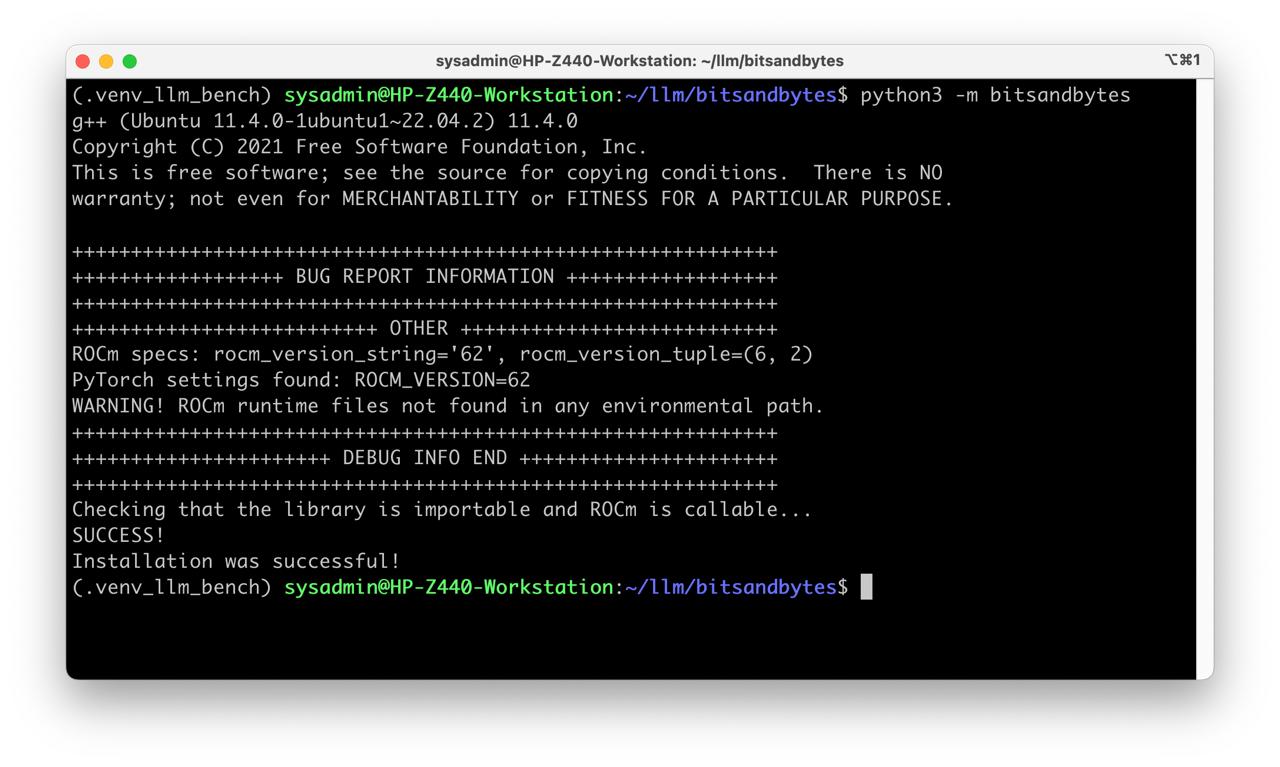
Table of Contents
Overview
Hot links
If not exist check archive.org
Requirments
- Ubuntu 22.04
- PyTorch 2.5.1+rocm6.2
- Python 3.10
Test environment
- Workstation 40 GB RAM, 500GB SSD, 750W Power supply
- Ubuntu 22.04
- AMD Mi50
My test environment: HP Z440 + AMD Mi50
Instructions
Ubuntu preparation
sudo apt dist-upgrade
sudo reboot
Driver setup and tools preparation
- Install ROCm 6.2
gpg --keyserver hkp://keyserver.ubuntu.com:80 --recv 9386B48A1A693C5C
gpg --export --armor 9386B48A1A693C5C | sudo apt-key add -
cd /tmp
wget https://repo.radeon.com/amdgpu-install/6.2.3/ubuntu/jammy/amdgpu-install_6.2.60203-1_all.deb
sudo apt install ./amdgpu-install_6.2.60203-1_all.deb
sudo amdgpu-install --usecase=rocmdev,hiplibsdk,workstation --vulkan=pro --opencl=rocr

sudo groupadd kfd
sudo usermod -aG video $USER
sudo usermod -aG render $USER
sudo usermod -aG kfd $USER

sudo reboot
- Check ROCm driver installation
rocm-smi
clinfo
rocminfo
- Install build tools
sudo apt install cmake python3-venv python3-dev git
Install PyTorch
- Prepare python environment and install PyTorch 2.5.1
mkdir -p ~/llm && cd ~/llm
python3 -m venv .venv_llm
source ./.venv_llm/bin/activate
python -m pip install --upgrade pip
pip install torch torchvision torchaudio --index-url https://download.pytorch.org/whl/rocm6.2
pip install transformers accelerate
- Check PyTorch installation
python3 -c "import torch; print(torch.__version__); print(torch.cuda.is_available()); print(torch.version.hip);print(torch.cuda.get_device_name(0));"
Build BitsAndBytes
- Get BitsAndBytes sources from AMD ROCm fork repo
git clone -b rocm_enabled_multi_backend https://github.com/ROCm/bitsandbytes.git
cd ./bitsandbytes
-
Manually fix BNB version in
setup.pyoriginal from sources0.43.3.devshould be changed to0.43.3.post1, it is impornat for diffusers library. -
Compile BitsAndBytes and install to virtalenv
We shold specify AMD GPU version here
export HSA_OVERRIDE_GFX_VERSION=9.0.6
export TORCH_BLAS_PREFER_HIPBLASLT=0


pip install -r requirements-dev.txt
cmake -DCOMPUTE_BACKEND=hip -DBNB_ROCM_ARCH="gfx906" -S .
make
pip install .
- Check BitsAndBytes installation
cd ~/llm
python -m bitsandbytes