Date: 14.02.2026
Mac Pro 7.1 LLM Laboratory

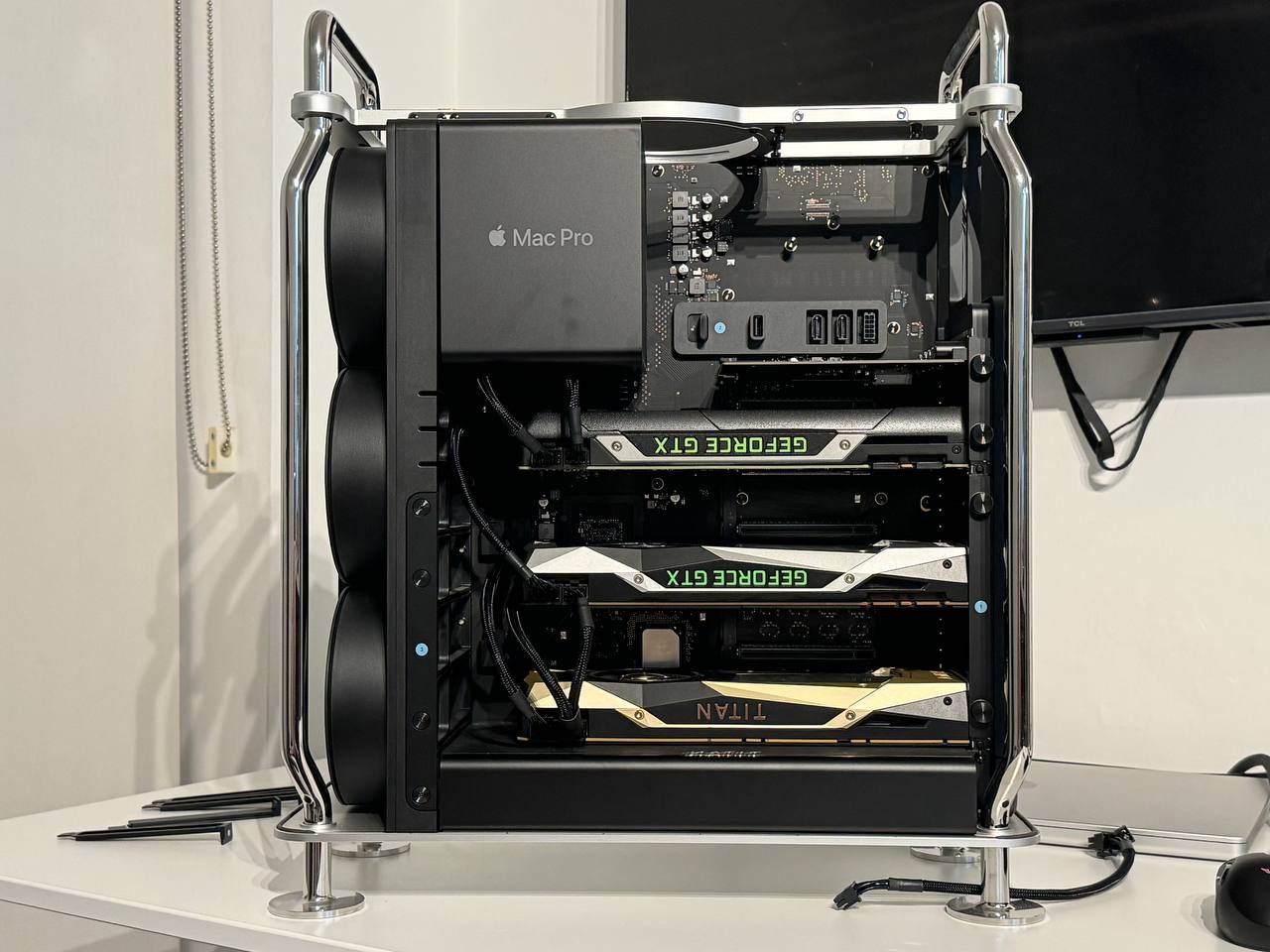
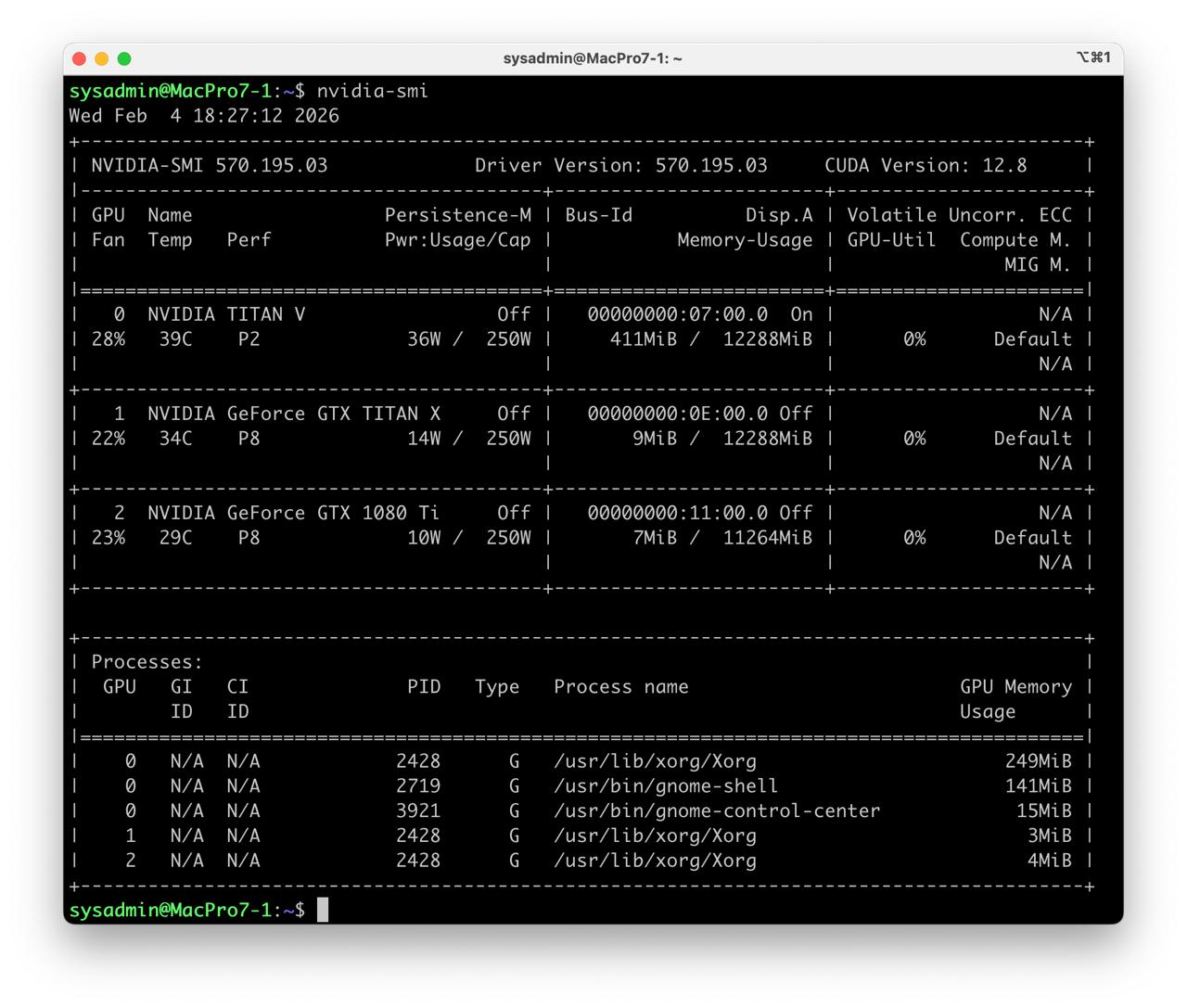
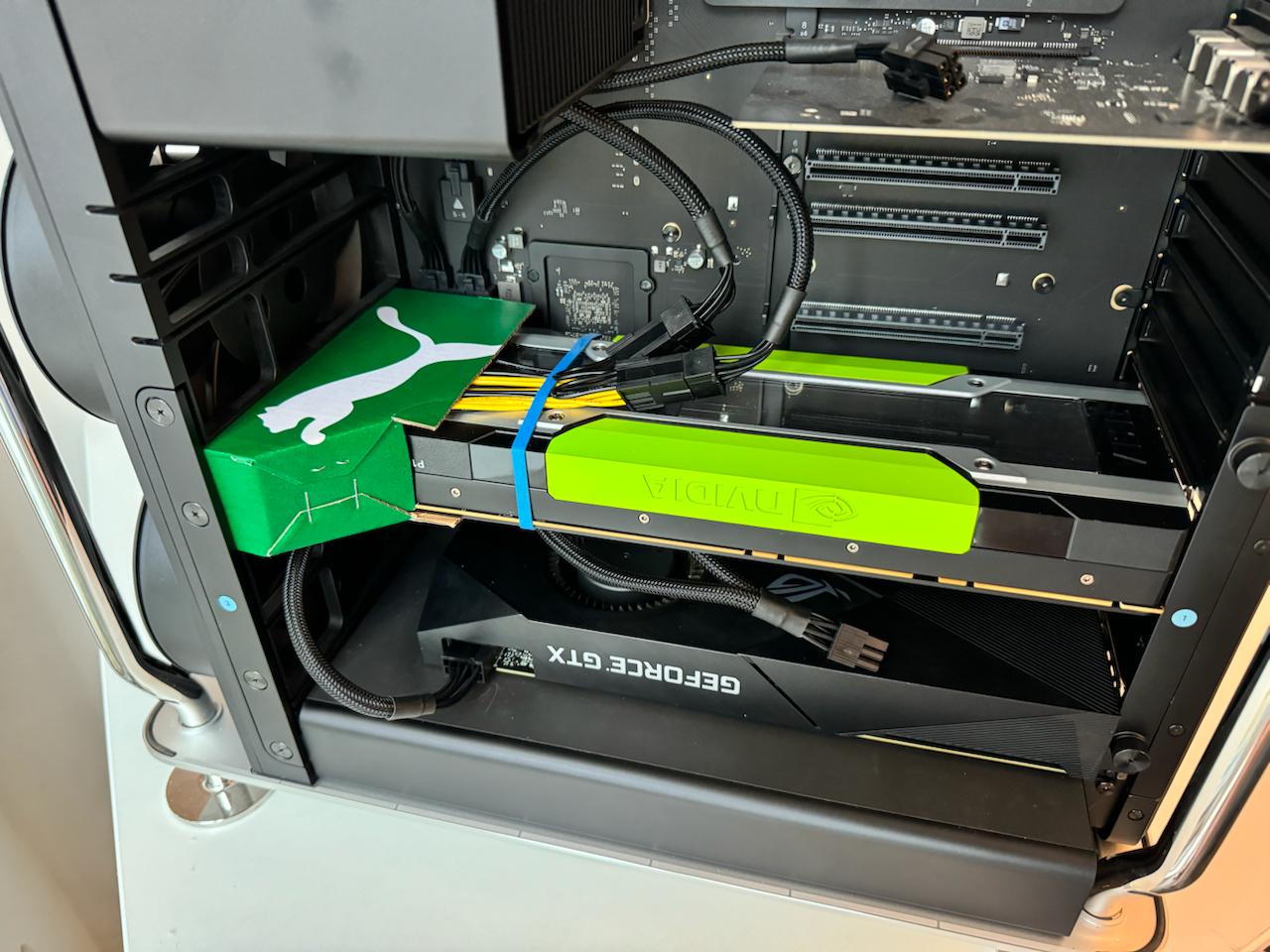
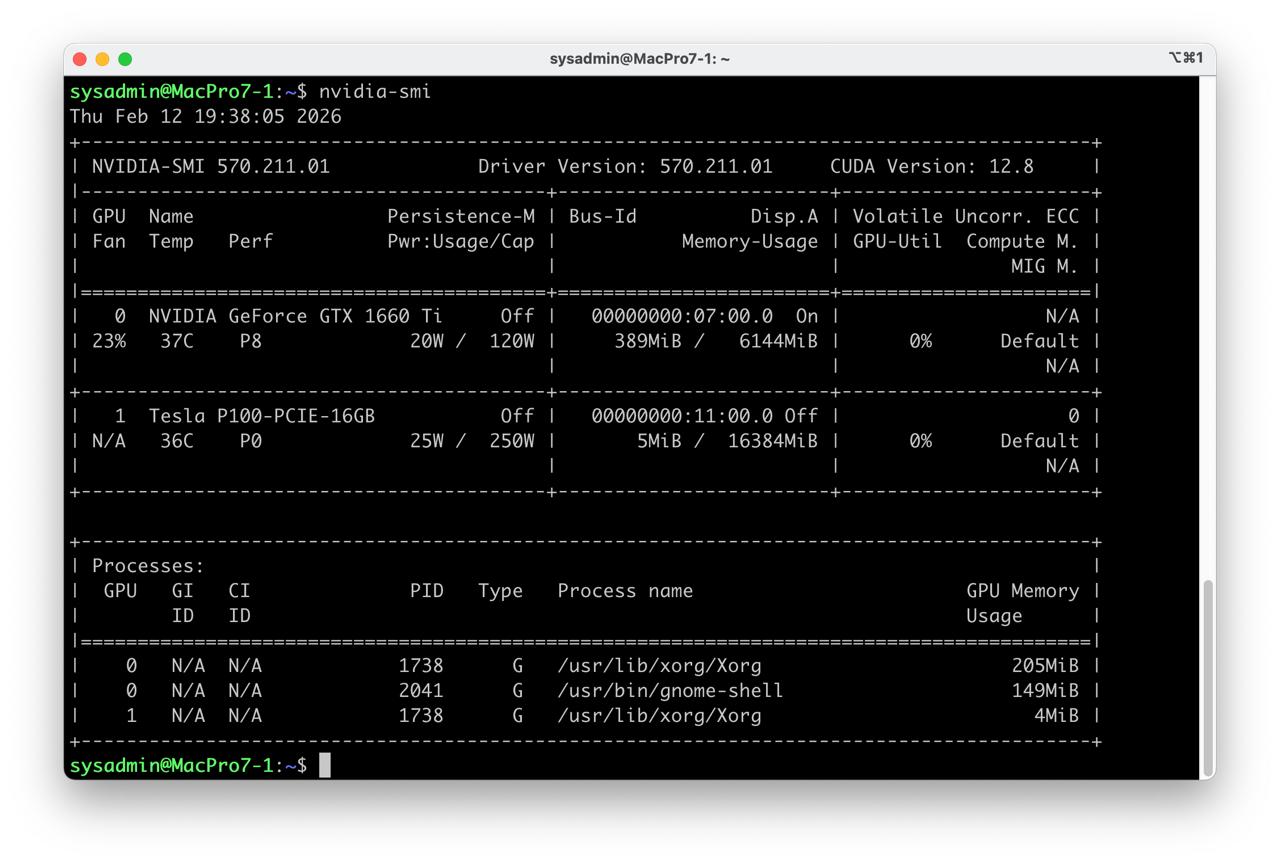
Table of Contents
Overview
Limitations
- Ubuntu Linux only
- Required DIY air duct
Test environment
- Mac Pro 7.1 Intel Xeon W-3235 64Gb RAM 1Tb SSD
- Ubuntu 24.04 LTS HWE Kernel
- Install python 3.12
Tested GPU Nvidia Tesla P100
Instructions
Ubuntu preparation
- Update ubuntu distro
sudo apt-get install --install-recommends linux-generic-hwe-24.04
hwe-support-status --verbose
sudo apt dist-upgrade
sudo reboot
- Install Apple T2 driver
sudo apt update
sudo apt install -y dkms linux-headers-$(uname -r) applesmc-t2 apple-bce lm-sensors
sudo reboot
sudo sensors
- Install t2fanrd
sudo apt install -y curl
curl -s --compressed "https://adityagarg8.github.io/t2-ubuntu-repo/KEY.gpg" | gpg --dearmor | sudo tee /etc/apt/trusted.gpg.d/t2-ubuntu-repo.gpg >/dev/null
sudo curl -s --compressed -o /etc/apt/sources.list.d/t2.list "https://adityagarg8.github.io/t2-ubuntu-repo/t2.list"
CODENAME=noble
echo "deb [signed-by=/etc/apt/trusted.gpg.d/t2-ubuntu-repo.gpg] https://github.com/AdityaGarg8/t2-ubuntu-repo/releases/download/${CODENAME} ./" | sudo tee -a /etc/apt/sources.list.d/t2.list
sudo apt update

sudo apt -y install t2fanrd
- Enable max speed fan3 for nvidia tesla GPU
sudo nano /etc/t2fand.conf
# set max speed for fan 3
[Fan3]
always_full_speed=true
Driver setup
- Install drivers nvidia-driver-570
sudo apt install nvidia-driver-570 clinfo
sudo reboot
- Fix PCIe BAR: add
pci=realloctoGRUB_CMDLINE_LINUX_DEFAULTso the Linux kernel will properly initializes server GPUs without Graphics Output Protocol
sudo nano /etc/default/grub

# set pci=realloc
GRUB_CMDLINE_LINUX_DEFAULT="quiet splash pci=realloc"

# reload grub config
sudo update-grub
sudo reboot
- Check installation
nvidia-smi
clinfo
Install dev tools
sudo apt install -y python3-venv python3-dev git git-lfs
Check CUDA in Python
- Preparing PyTorch
mkdir -p ~/llm && cd ~/llm
python3 -m venv .venv_llm
source ./.venv_llm/bin/activate
python -m pip install --upgrade pip
pip install "torch==2.5.0" "torchvision==0.20.0" "torchaudio==2.5.0" --index-url https://download.pytorch.org/whl/cu124
pip install "bitsandbytes==0.44.1"
python3 -c "import torch; print(torch.__version__); print(torch.cuda.is_available());print(torch.cuda.get_device_name(0));"
- Expected response
2.5.0+cu124
True
Tesla P100-PCIE-16GB
- Check BitsAndBytes installation
python -m bitsandbytes
Dry-run!
Stable Diffusion XL
- Prepare Python environment for CUDA:
mkdir -p ~/llm && cd ~/llm
python3 -m venv .venv_llm_sd1.5
source ./.venv_llm_sd1.5/bin/activate
python -m pip install --upgrade pip
pip install "torch==2.5.0" "torchvision==0.20.0" "torchaudio==2.5.0" --index-url https://download.pytorch.org/whl/cu124
pip install "transformers==4.56.2" accelerate diffusers safetensors
- Get the StableDiffusion XL
git lfs install
git clone https://huggingface.co/stabilityai/stable-diffusion-xl-base-1.0 sdxl
- Create script test_cuda_sdxl.py:
from diffusers import StableDiffusionXLPipeline
import torch

print("GPU available:", torch.cuda.is_available())
print("GPU name:", torch.cuda.get_device_name(0))

model_path = "/home/sysadmin/llm/sdxl"
device = "cuda:0"

pipe = StableDiffusionXLPipeline.from_pretrained(
    model_path,
    torch_dtype=torch.float16,
    safety_checker=None,
    feature_extractor=None,
    local_files_only=True
).to(device)

seed = torch.seed() #4724869666772648404
generator = torch.Generator(device).manual_seed(seed)

prompt = "adorable fluffy cat sitting on a wooden \
chair, 3D render, Pixar style, Disney animation, \
volumetric lighting, big eyes, detailed fur, \
cozy room background, 8k, unreal engine 5"
negative_prompt = "ugly, deformed, bad anatomy, \
extra limbs, extra tail, missing paws, blurry, \
low quality, watermark, text, bad proportions, \
realistic, photo"

out = pipe(
    prompt=prompt,
    negative_prompt=negative_prompt,
    height=1024, width=1024,
    guidance_scale=5,
    clip_skip=1,
    num_inference_steps=45,
    generator=generator)
image = out.images[0]

image.save(f"test_image_sdxl_{seed}.png", format="PNG")