Date: 08.08.2025
Mistral 7b ROCm PyTorch Test
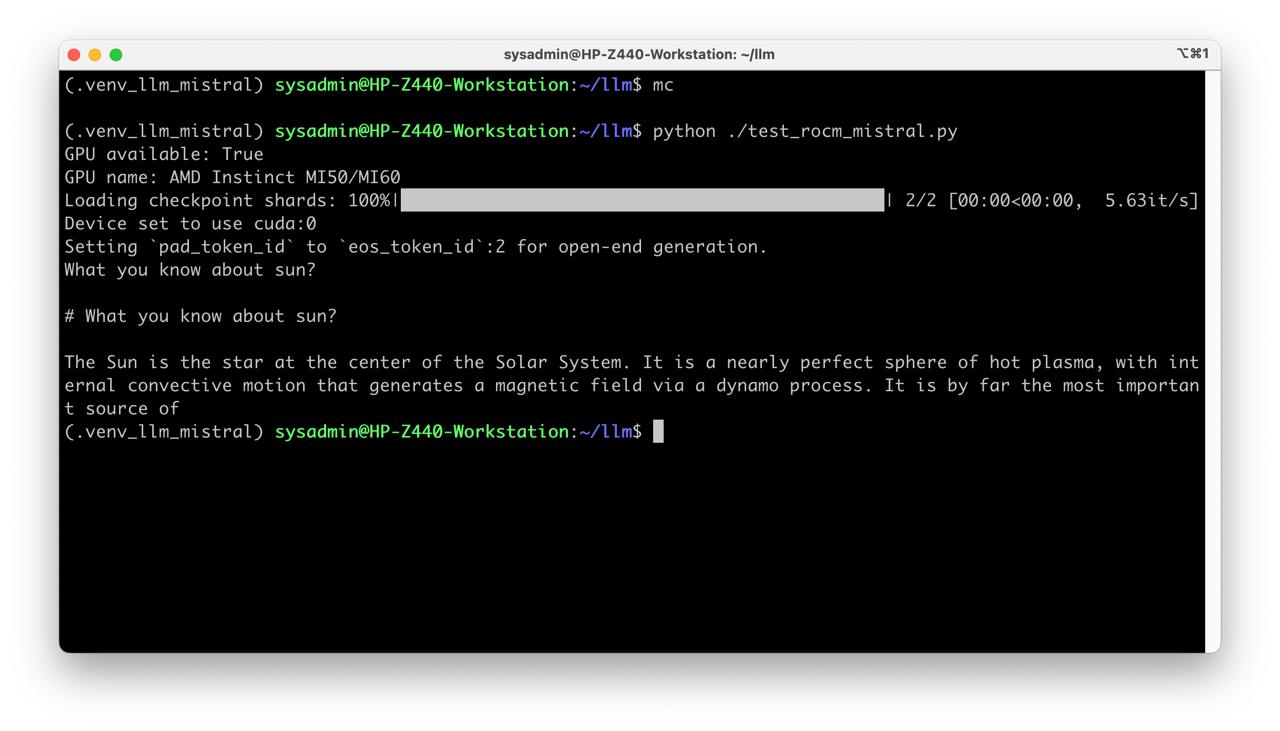
Table of Contents
Overview
Requirments
- AMD Mi50/MI100 32Gb VRAM
- Workstation 40 GB RAM, 200GB SSD, 750W Power supply
- Ubuntu 24.04 LTS HWE Kernel
- Install python 3.11 or 3.12
Instructions
Steps
Get the Mistral
git lfs install
git clone https://huggingface.co/mistralai/Mistral-7B-v0.1 mistral
Preapre python environment for ROCm:
python3 -m venv .venv_llm_mistral
source ./.venv_llm_mistral/bin/activate
python -m pip install --upgrade pip
pip install torch torchvision torchaudio --index-url https://download.pytorch.org/whl/rocm6.0
pip install transformers accelerate
python .\test_rocm_mistral.py
Create script test_rocm_mistral.py:
from transformers import AutoTokenizer, AutoModelForCausalLM, pipeline
import torch

print("GPU available:", torch.cuda.is_available())
print("GPU name:", torch.cuda.get_device_name(0))

model_path = "/home/sysadmin/llm/mistral"

tokenizer = AutoTokenizer.from_pretrained(model_path)
model     = AutoModelForCausalLM.from_pretrained(
    model_path,
    torch_dtype=torch.bfloat16
).to("cuda")

generator = pipeline(
    "text-generation",
    model=model,
    tokenizer=tokenizer,
    device=0  # Use GPU
)

print(generator("What you know about sun?", max_new_tokens=60)[0]["generated_text"])