Date: 22.08.2025
LLM semantic search
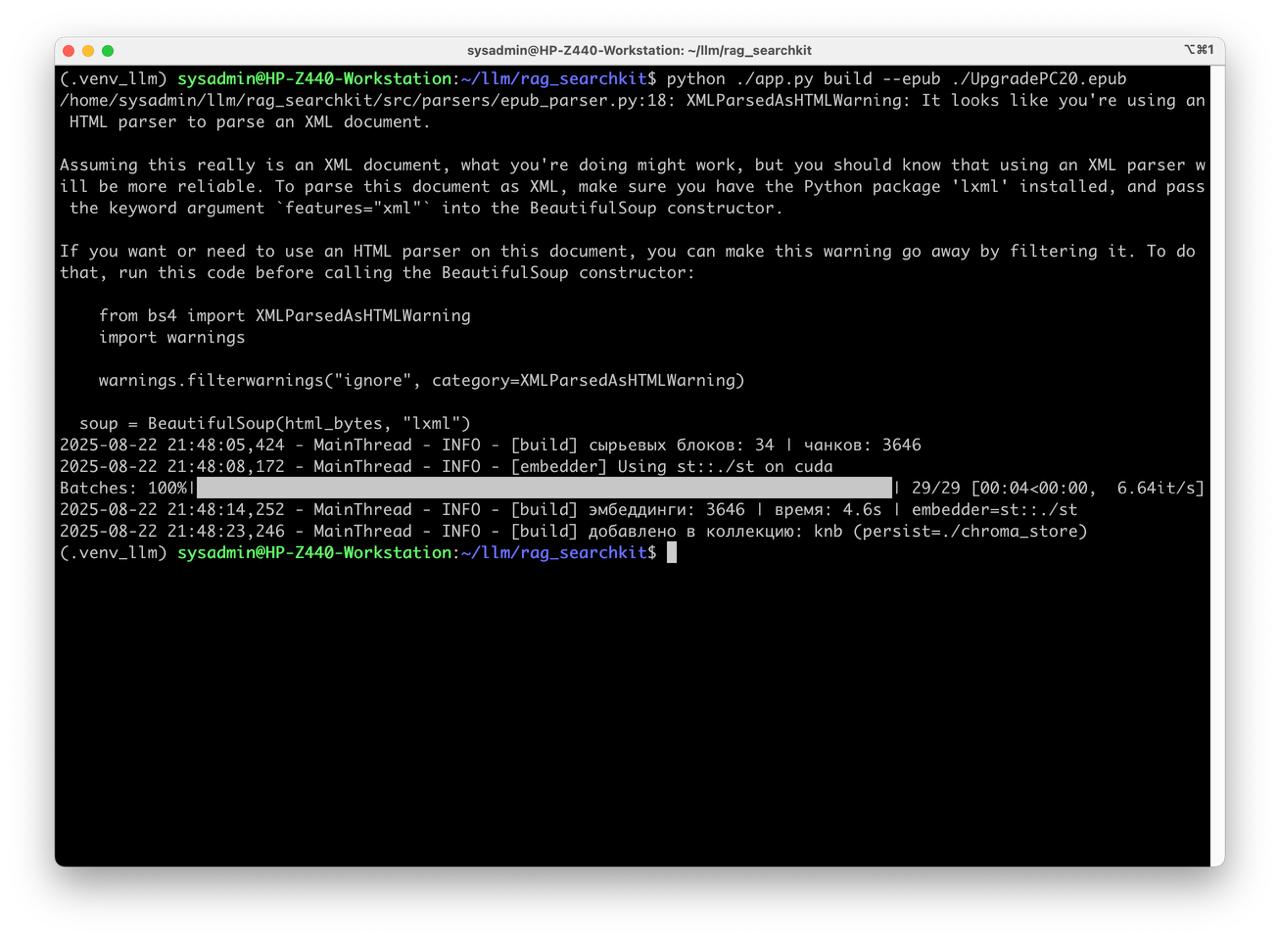
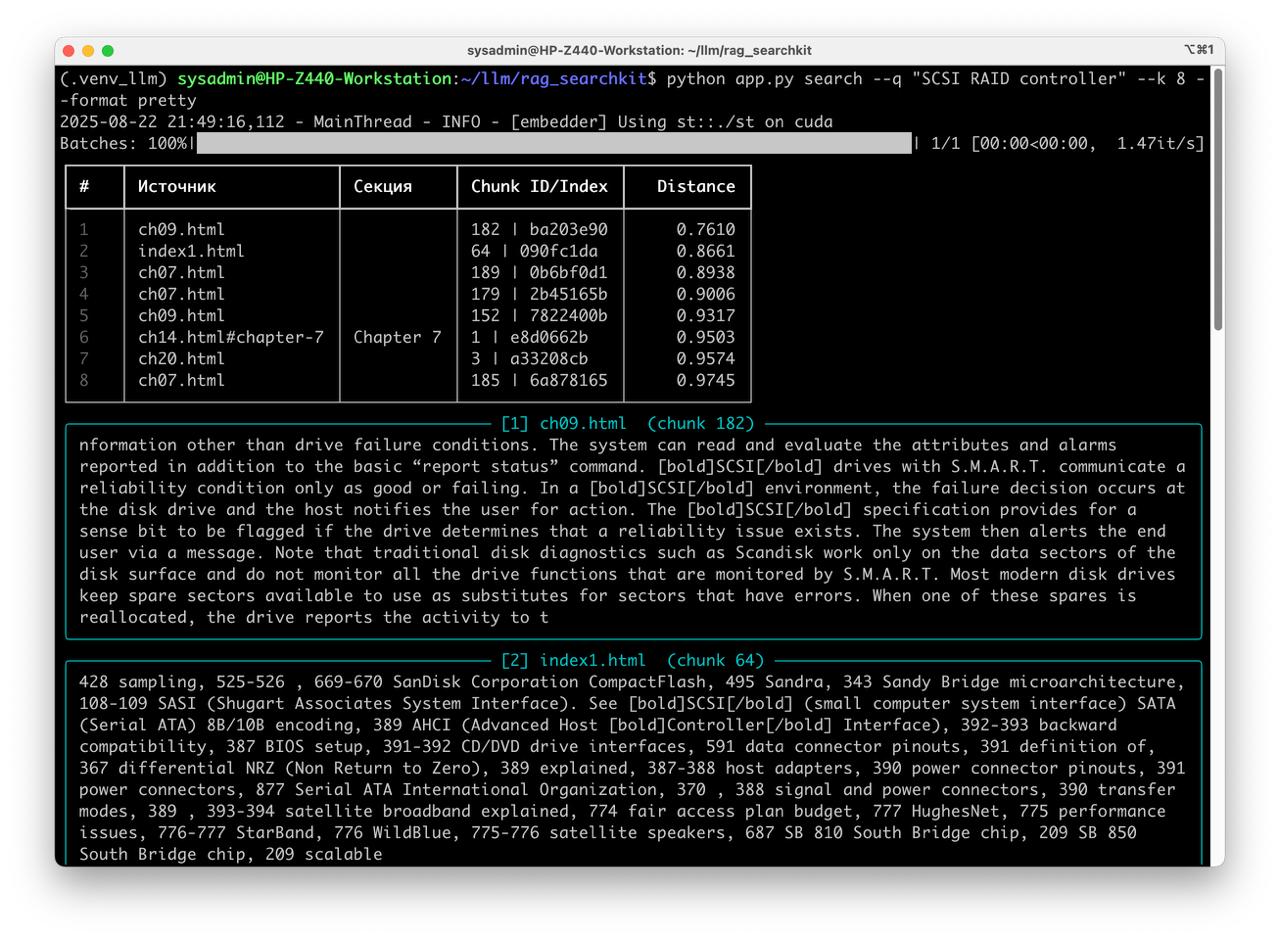
Table of Contents
Overview
Description
Principle of Operation and Implementation of Semantic Search
Building the search database
- Split the corporate knowledge base into small chunks of ~600 characters. Ideally, each chunk should contain a whole paragraph (avoid splitting mid-paragraph). Clean the chunk text from noise (e.g., stray special characters).
- Generate vector representations: pass the array of chunks to a specialized LLM model to obtain vector embeddings—mathematical representations of each chunk’s meaning.
- Store in a vector database: write the mapping of (chunk metadata, chunk text, and its vector) into a vector database.
Search process
- Embed the query: take the user’s search query and send it to the (same) LLM to obtain the query’s vector representation.
- Retrieve nearest vectors: query the vector DB to find the most similar vectors. The DB does this very quickly because it doesn’t scan text; it compares numeric vector values (floating-point numbers).
- Return results from the vector database (matching chunks and their metadata).
Advantages
- Near-instant retrieval: semantic search over a 1,300-page book takes roughly ~1 second.
- Fast index construction: building the vector database for a 1,300-page book takes about ~4 seconds.
- Universal: the approach works with knowledge bases in virtually any format—as long as you can parse the source and split it into chunks.
Requirments
- Python 3.11/3.12
- Ubuntu 24.04
- GPU 4Gb VRAM - CUDA 5, ROCm 6
Instructions
Preparetion
Get the rag-searchkit source code
git clone https://github.com/llmlaba/rag_searchkit.git
cd ./rag_searchkit
Get the sentence-transformers llm model
git lfs install
git clone https://huggingface.co/sentence-transformers/paraphrase-multilingual-MiniLM-L12-v2 st
Prepare data source
- ePub book
Put ePub book to repo root, for example UpgradePC20.epub
Prepare python environment
- For CPU
python3 -m venv .venv_llm source ./.venv_llm/bin/activate python -m pip install --upgrade pip pip install -r requirements.txt - For GPU AMD ROCm 6
python3 -m venv .venv_llm
source ./.venv_llm/bin/activate
python -m pip install --upgrade pip
pip install torch --index-url https://download.pytorch.org/whl/rocm6.0
pip install -r requirements.txt
Dry run
- Load ePub to database
python app.py build --epub "Upgrading and Repairing PCs.epub" - Run qery
python app.py search --q "clear CMOS" --k 8 --format pretty